
How hard is it to find this somewhere straight-forward on the net? Very hard evidently, because how many people come here.
Edit: now updated for Yosemite. Older version below.
Step 1: Open Language & Region: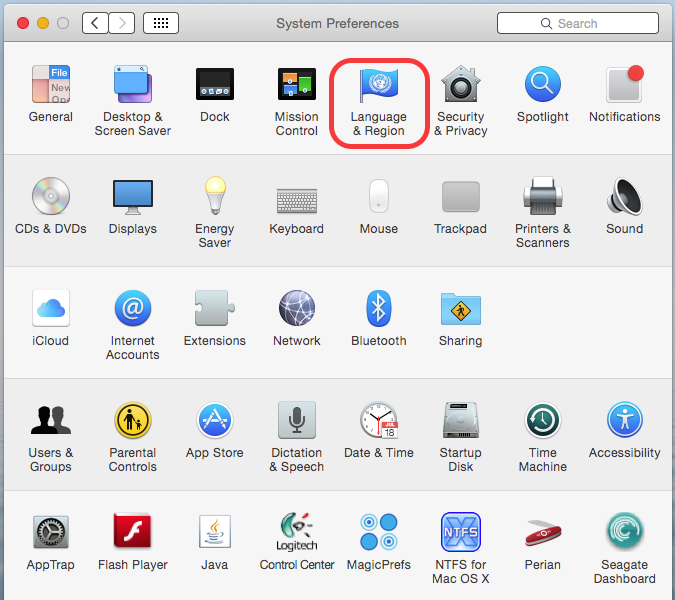
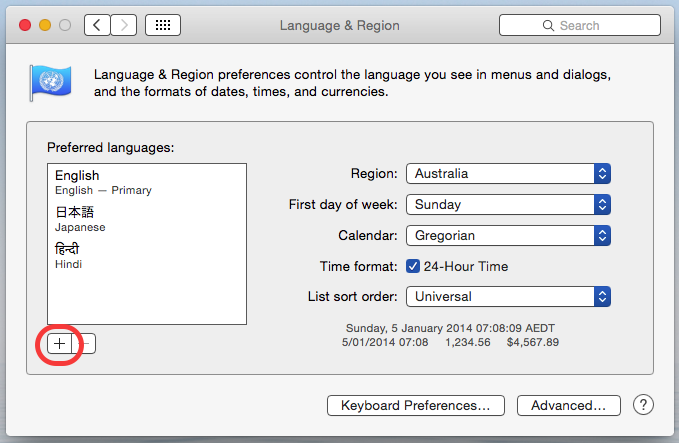
Step 2: Go to the language list and click +:
 Step 3: Select the language desired – in this case English (Australia) and click Add: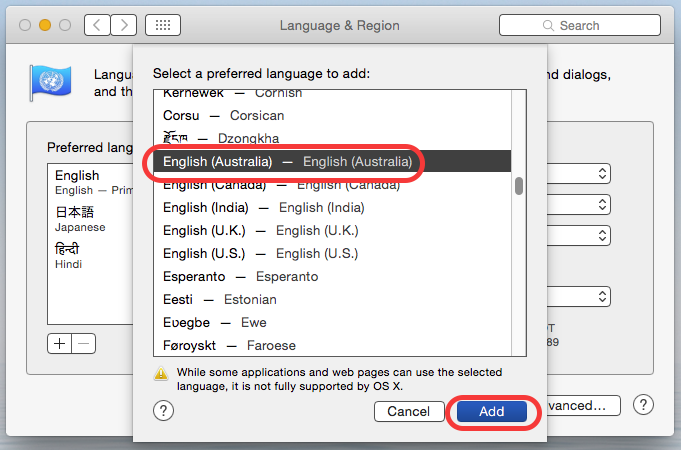
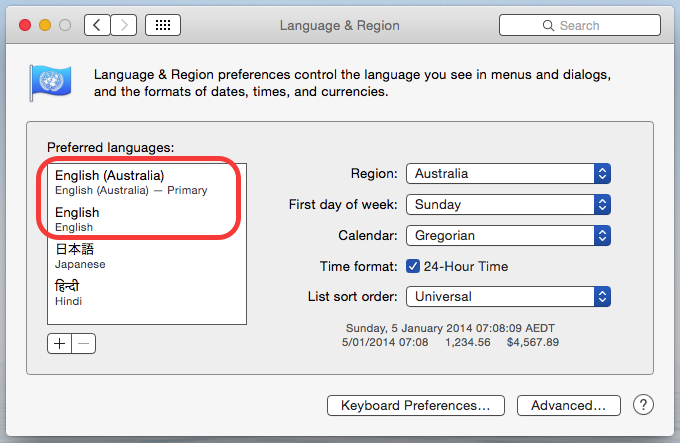
Step 4 – Mac OS X Yosemite prompts you to use the new one as your primary language – select this and you’re good to go:
 This is what it should look like:
Now for spelling dictionaries – Yosemite has system-wide spell-checking, so we need to order it there. Pages (and other apps) will pick this up automatically. This time, we go to the Keyboard pref pane: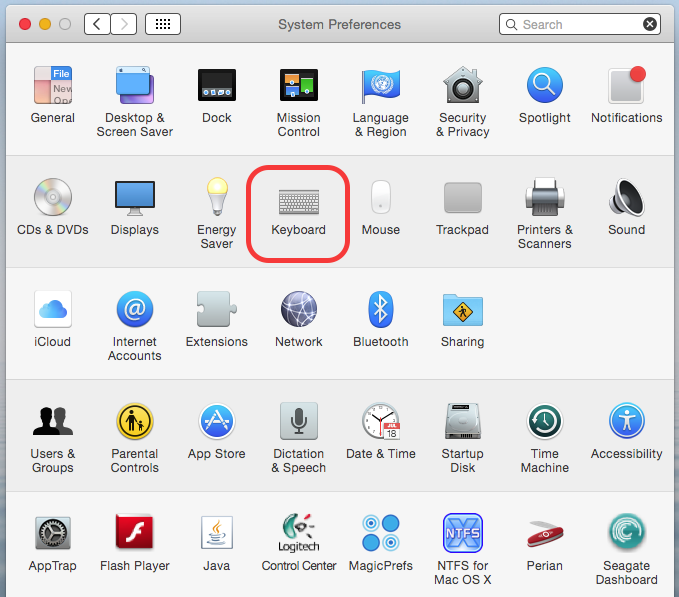
Click over to the Text tab, and we’ll see the spelling drop-down over on the right – usually this is set to auto, but let’s go through setup to confirm what we need: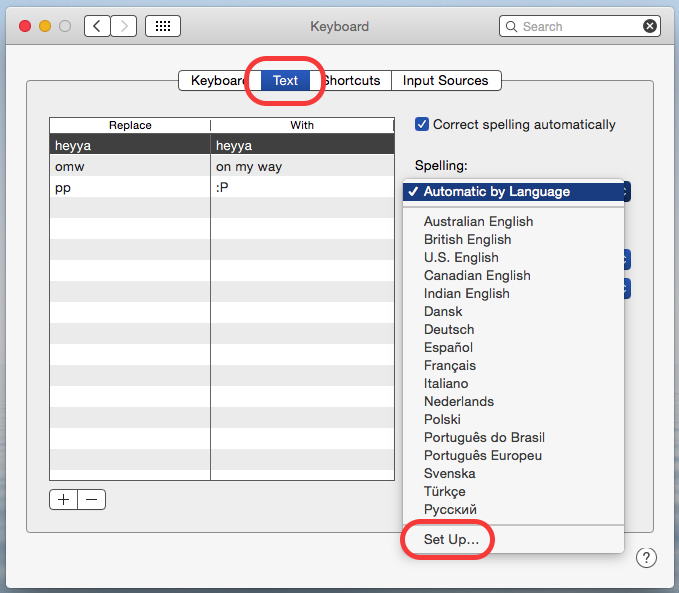 In the setup window, you can pick which dictionaries apply – so if you’re not going to type in Russian or Polish, for instance, you can remove these: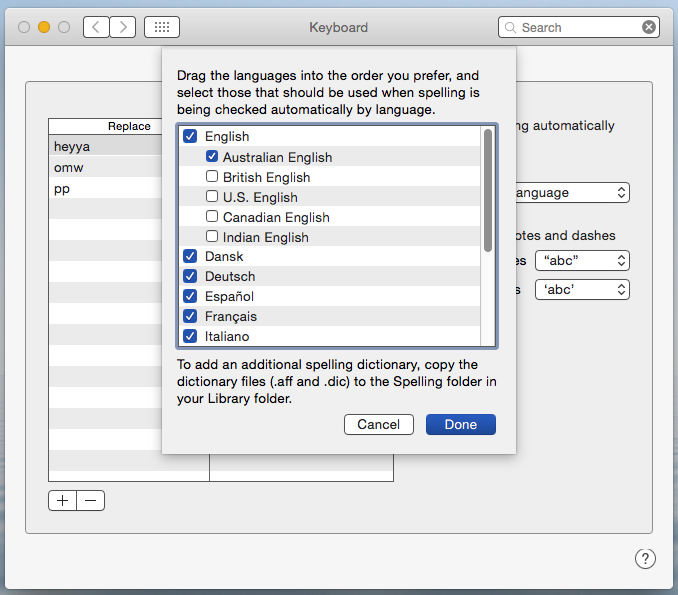
You can drag to re-order, and click Done to save your preference: 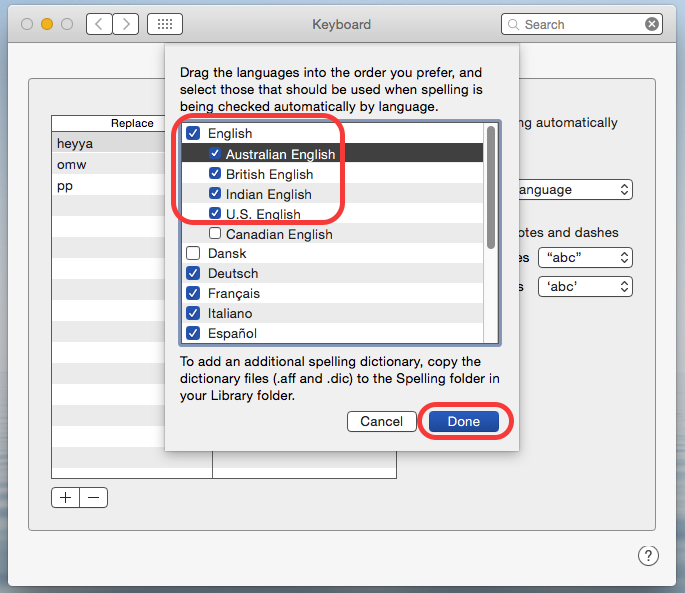
And there you have it!
For Mac OS X Snow Lion and Pages 8 and earlier:
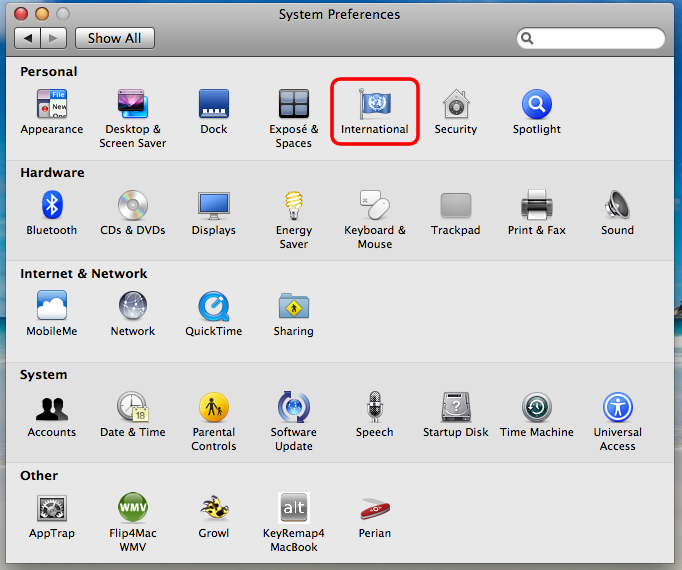
Step 1: Open International pref pane in System Preferences
Step 2: On the Languages tab, click on “Edit List”
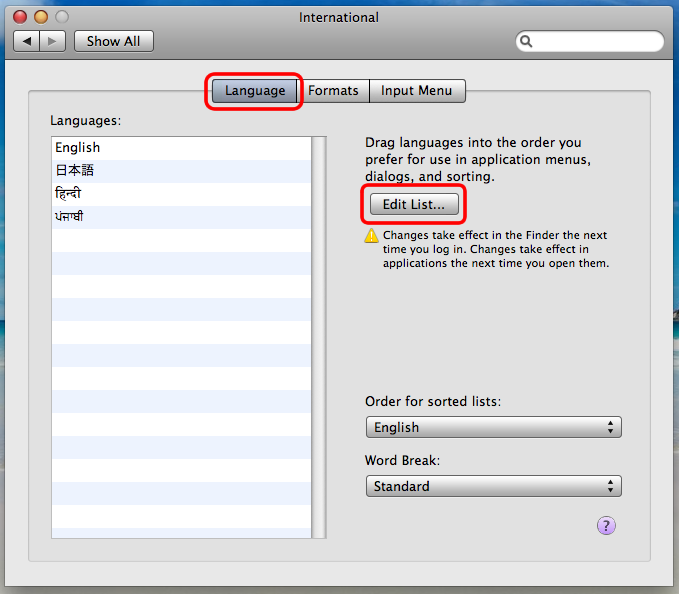
Your list of languages already in the list might be longer – e.g., it’ll usually have most of the European languages.
Step 3: Select the language(s) you wish to add and click OK.

Here I’ve chosen both Australian English and British English – generally speaking though, these are virtually identical and you only need the one you prefer.
Step 3: The newly selected languages should now be in the list. Order the list to your preference by dragging list items around.

As it says under “Edit List”, the changes will take effect next time you start the application (in the case of Finder, that’s obviously when you restart). Generally speaking, I’d say leave English (i.e., the American one) in there somewhere.
Now you’re done for most of the system stuff. Pages will now create new documents with the top language as the default. However, for existing documents you’ll need to do the following:

Select all text, and then (1) click on Inspector, (2) click on the text tab, (3) select “More” tab, and (4) set the language.
Indeed, far too difficult to find! Thanks very much for the tip.
In OS X 10.6.3 (as of this post). There is a new Tab in-between Languages and Formats called TEXT. Click on TEXT and you can force the Australian English dictionary to be used in all spell checking and defaults on programs running in OS X.
@Paul that’s right, and the icon is now labelled “Language and Text” instead of “International”. Thanks for the update!
Many thanks. This is the elegant solution – working within the system. I was quite frustrated by the way Pages would keep flipping back to English when I had set it to British English. I hadn’t thought of it as relating to a system setting.
Regards, Alan
Brilliant and thanks for the great help.
This has puzzled me for long: even setting the language order with British first, I got US spelling. Until this post I hadn’t bothered to investigate further, but on Lion, and I think (Snow) Leopard too, you need to change the order of the language in two locations in the “Language & Text” preferences:
1) At the “Language” tab. This one is straightforward
2) At the text tab. This one is almost hidden: Click on the selector box called “Spelling” (mine reads “Automatic by Language”), in the list of choices that pops up, at the bottom you’ll find “Set Up…” choose that and set the order of the languages there.
Note: You can also choose to always use e.g. “British English” of course, but that is not as useful al “Automatic by Language” in my opinion.
Cheers,
Hayo
Thank you no more of that american rubbish
Hayo Baan – you are a legend – thank you so much :)
Does this automatically work in MS office for MAC. I have changed the default language to UK English in “normal template (.dot) but still get americanisations in my documents
Hi Malcom, this post on MacTalk AU seemed to work for a number of people: http://www.mactalk.com.au/56/94672-word-2011-language-settings-stuck-us-eng.html#post1056018
Perfectly explained. I got here through some post that seemed to ramble on with different possible solutions (http://forums.whirlpool.net.au/archive/1075972) but what is needed is a simple explanation with pics the way you have it here. Well done.